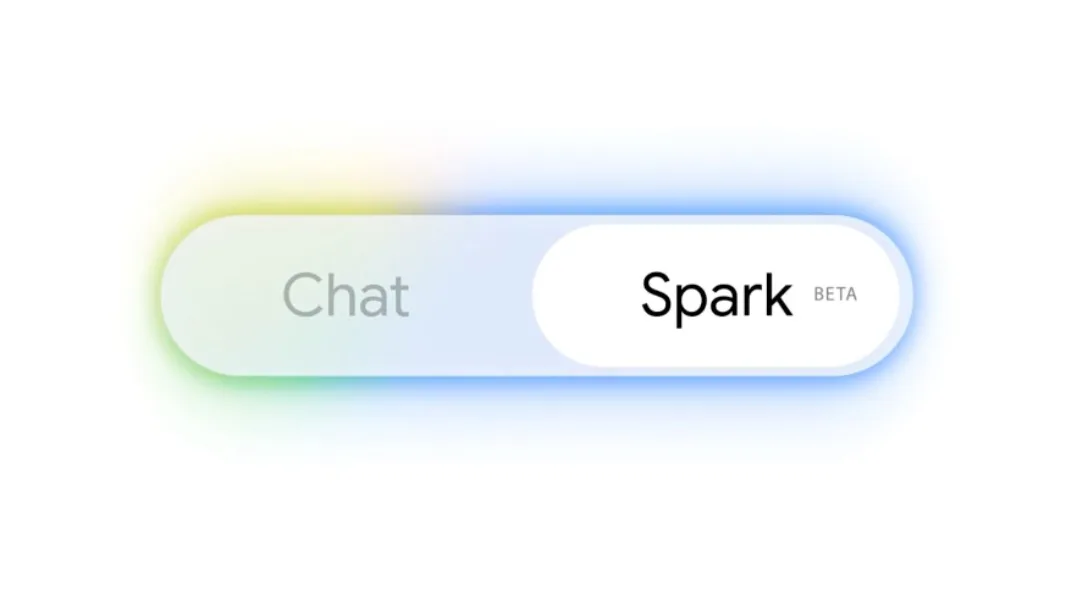
Google Brings Gemini Spark Agent to macOS
What is the Gemini Spark Agent?
The introduction of the Gemini Spark Agent for macOS marks a significant milestone in how users interact with their operating systems. Unlike traditional software that waits for specific user commands, an agentic system is designed to perceive, reason, and act within the desktop environment. By leveraging the Gemini model's capabilities, this tool acts as an autonomous assistant capable of navigating macOS interfaces, retrieving information from various local applications, and executing multi-step tasks that previously required manual intervention.
This technology is built for users who demand higher efficiency from their hardware. By bridging the gap between cloud-based intelligence and local system control, the Gemini Spark agent allows for a more fluid workspace. Whether you are managing complex project files or automating repetitive data entry across different desktop apps, this integration aims to serve as a bridge between your intent and the execution of digital tasks.
How Agentic AI Differs from Standard Chatbots
To understand why this shift matters, one must look at the evolution of LLMs. We are moving away from passive, text-based interfaces toward active, autonomous systems. As discussed in our analysis of how Google Declares the Agentic Gemini Era, the core difference lies in agency—the ability for a model to plan and execute a sequence of actions to reach a goal without constant human prompting.
Standard chatbots are reactive; they answer questions based on static training data. An agent, however, is proactive. It maintains a state of the desktop, understands the context of open windows, and can manipulate files or interface elements to achieve a specific outcome. This transition is essential for enterprise macOS environments where workflows are often siloed across multiple specialized applications.
Key Features of Gemini Spark on macOS
The Gemini Spark agent brings several functional capabilities to the Mac ecosystem, transforming the desktop into a dynamic workspace. Its primary features include:
Cross-App Data Retrieval: The ability to pull information from one application (like a spreadsheet) and inject it into another (like an email client) without manual copy-pasting.
Contextual Awareness: Because the agent operates within the macOS environment, it can "see" active windows, allowing it to provide help relevant to the specific project you are currently working on.
Task Automation: Users can trigger multi-step workflows, such as organizing a folder of assets, renaming files based on metadata, or summarizing long documents while simultaneously scheduling follow-up meetings.
System-Level Integration: The agent interfaces with macOS APIs to ensure that commands are executed securely and reliably within the native environment.
Implementing Agentic Workflows
Integrating an AI agent into your daily routine requires a shift in mindset. Instead of thinking about "using an app," you should think about "delegating a process." For those looking to master this, we recommend exploring our framework on how to build your own agent harness, which provides the foundational knowledge needed to create custom automation loops that go beyond pre-configured features.
To start, identify the most repetitive 15-minute task you perform daily. Use the Gemini Spark interface to describe the desired end state, and observe how the agent navigates the UI. Over time, you can refine these prompts to create more complex, multi-app workflows that handle your administrative overhead automatically.
Privacy and Security Considerations
Granting an AI agent access to local files and system permissions is a significant step that requires caution. When using the Gemini Spark agent, it is vital to understand how your data is processed. Most current implementations operate under strict sandboxing protocols provided by Apple's operating system, ensuring that the agent's reach is limited to the permissions you explicitly grant.
How does Gemini Spark handle macOS system permissions? Generally, it utilizes the macOS Accessibility and Automation permissions framework. You should regularly audit these permissions in your System Settings to ensure that the agent only has access to the specific folders or applications it needs to function. For those working with sensitive or proprietary data, always check the official Google support documentation for the most recent enterprise-grade security configurations and data handling policies.
Addressing Common Questions
Is the Gemini Spark agent free to use? Currently, access models vary based on your Google account type (Personal vs. Workspace). Check your subscription tier for eligibility.
Is Gemini Spark available on all Mac models? Compatibility is largely dependent on the macOS version and the underlying processor architecture. Newer Apple Silicon (M-series) chips are generally better optimized for local agent processing compared to older Intel-based Macs.
Can Gemini Spark replace Apple Intelligence features? Not entirely. Apple Intelligence is deeply integrated into the OS kernel for system-wide privacy-first features. Gemini Spark acts more as a high-level productivity layer, often complementing rather than replacing native system AI.
Conclusion
The arrival of the Gemini Spark agent on macOS represents a fundamental change in desktop computing, shifting the focus from manual interaction to agent-driven automation. By understanding the distinction between chatbots and agents, and by carefully managing your system permissions, you can leverage this technology to significantly boost your daily productivity. Stay ahead of the AI curve by subscribing to our newsletter for the latest updates on agentic technology and desktop automation workflows.
Related Articles
View all articles
Google AI Agents Are Going Mainstream: What It Means for You
Discover how Google is bringing AI agents into everyday use, their impact on daily tasks, and the future of intelligent automation.
The 5 Best AI Agents and Tools for Productivity in 2026
Discover the top 5 AI agents and tools revolutionizing productivity in 2026. Learn how autonomous AI agents can automate tasks and boost your workflow.
AI Agents in Higher Education: Uses and Best Tools for 2026
Explore how AI agents are transforming higher education in 2026, including 15 use cases, the best tools for students and faculty, benefits, risks, and implementation guidance.
Continue exploring
Find AI agents by workflow
More in Industry Insights
Browse more articles in the Industry Insights category.
AI articles
Explore more guides and insights tagged AI.
macOS articles
Explore more guides and insights tagged macOS.
AI Agent Categories
Browse use-case pages for sales, productivity, coding, customer service, and more.
AI Agents Landscape
Explore the full directory map and compare agents by workflow and category.
Agent Skills
Find reusable skills, capabilities, and building blocks for AI agent workflows.