Architectural Frameworks: Orchestrating Autonomous AI Agents in Enterprise Workflows
Key takeaways
- Map the complete workflow before assigning responsibilities to individual agents.
- Use an orchestration layer to route tasks and track the overall request.
- Pass structured context between agents to reduce repeated questions and unclear handoffs.
- Connect agents to enterprise systems through APIs with narrowly scoped permissions.
- Set human approval thresholds for uncertain requests and high-value transactions.
- Measure task completion, latency, failed API calls and human corrections.
- Test realistic voice interactions before expanding tasks and permissions.
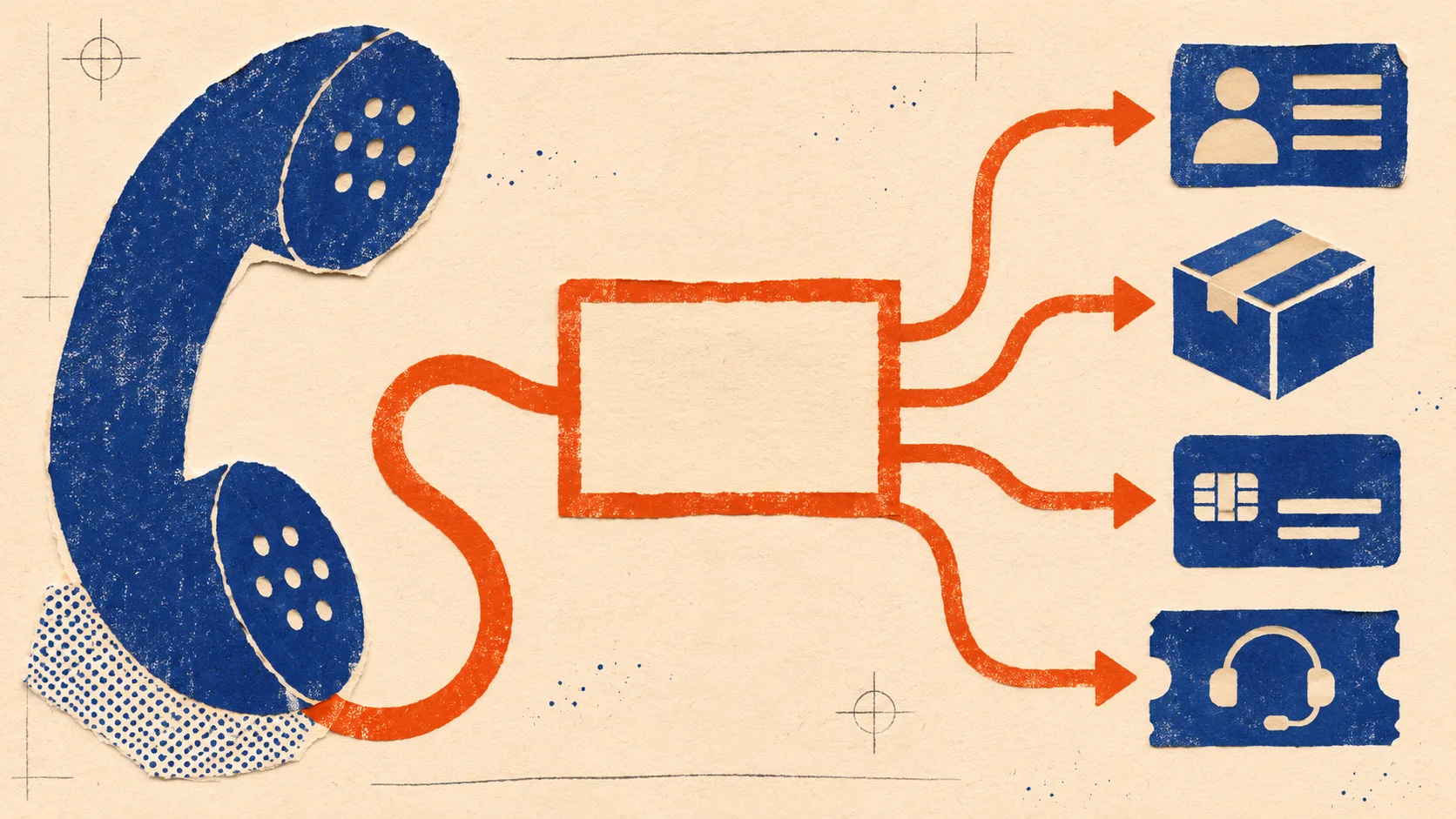
One spoken refund request can touch four systems: identity, orders, payments and the support queue.
A voice interface such as the AI agents from ElevenLabs can take that request by phone, while one agent verifies the caller and another prepares the refund. But making those agents work as one process is an architecture problem that starts with the workflow.
When agents hand work to each other without a clear plan, the gaps show up on the call. A caller repeats an account number after every transfer, or a refund lands on the wrong order, and nobody can tell which agent made the mistake. The architecture you choose decides how often that happens.
Define the Workflow Before Assigning Agent Roles
Map the process from the first request to the final action. An orchestration layer receives the task and routes each part to an agent with a defined job. It also tracks the status of the whole request. A customer-facing agent collects the order details, an identity agent checks the account, a policy agent confirms the refund is eligible and an order agent writes the outcome back.
Each agent needs a clear remit and a dependable way to pass information onward. Shared context spares the caller from repeating details, and structured handoffs show a team where a task stalled. Enterprise APIs connect the agents to order management and customer records.
Connect Voice Agents to Enterprise Systems
Voice agents can take on workflows that customers or employees would otherwise complete by phone or web form. Speech recognition turns the spoken request into data, then a language model works out the intent and the next step, and text-to-speech speaks the reply.
Latency decides whether the exchange feels natural. A long pause makes a call feel broken, especially when the caller corrects a detail or cuts in mid-answer. A responsive agent handles turn-taking and confirms key details before it acts.
The same setup supports multilingual service and employee training. A business serving several markets can route each language to the matching workflow. Approved voice cloning and multilingual dubbing can localize training material in a consistent, authorized voice.
Set Permissions and Human Approval Rules
Give each agent only the data and tools its task requires. Scoped API credentials and role-based permissions limit what an agent can read or change. A support agent might retrieve an order and prepare a refund request, while a separate approval step authorizes payment.
Set clear thresholds for human review. Uncertain requests and high-value transactions can route to an employee. Logs should record the request and the agent actions and approvals that followed it, so teams can trace errors and tune the workflow.
Measure the Whole Workflow Before Expanding Autonomy
Judge the full process instead of response speed alone. Task completion rate shows whether requests reach the right outcome. Response latency and failed API calls show where the system slows down. Human correction rates show where agents get requests wrong.
Simulated conversations and automated tests, which ElevenLabs supports before launch, catch a lot of this early. After that, test voice interactions under real conditions: background noise and accents, plus callers who interrupt or change a request midway. Start with a narrow set of tasks and review results before widening permissions. Add specialist agents when the workflow calls for them, and keep people in the loop where a mistake is expensive.
Related Articles
View all articles
Best AI Workflow Automation Tools in 2026
Compare the best AI workflow automation tools in 2026 for no-code workflows, AI agents, SaaS integrations, creative automation, self-hosting, and enterprise use.

The Impact of AI Agents on Customer Support, Sales, and Business Automation
Explore how AI agents are changing customer support, sales, and business automation through faster service, lead qualification, and workflow execution.
Top AI Agent Development Companies for Service Businesses in 2026
Compare top AI agent development companies for service businesses in 2026, including firms building support, scheduling, voice, sales, and workflow agents.
Continue exploring
Find AI agents by workflow
More in Partner Insights
Browse more articles in the Partner Insights category.
AI Agent Orchestration articles
Explore more guides and insights tagged AI Agent Orchestration.
Multi-Agent Systems articles
Explore more guides and insights tagged Multi-Agent Systems.
AI Agent Categories
Browse use-case pages for sales, productivity, coding, customer service, and more.
AI Agents Landscape
Explore the full directory map and compare agents by workflow and category.
Agent Skills
Find reusable skills, capabilities, and building blocks for AI agent workflows.