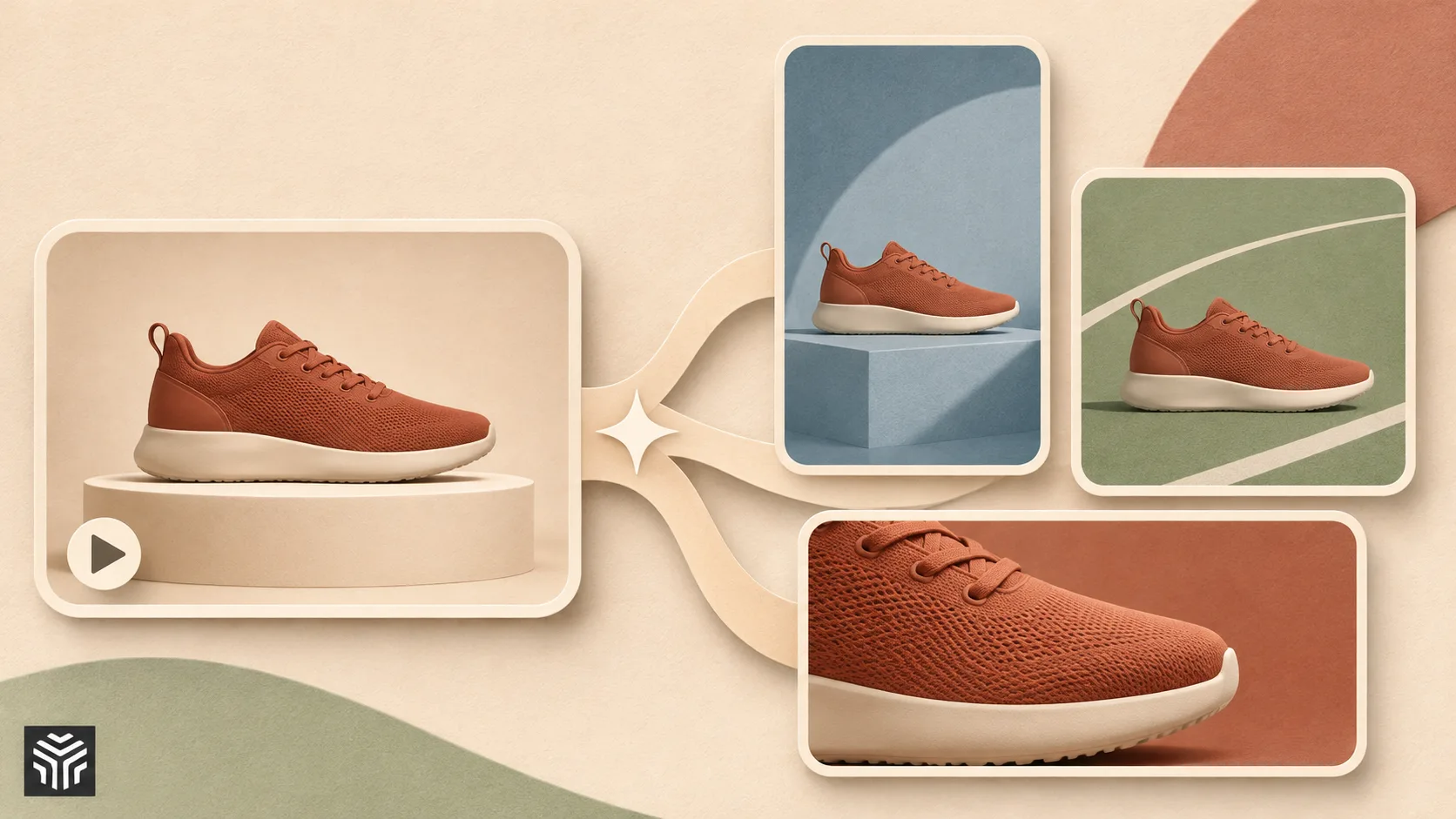
How to Create Video Ad Variations with AI
Key takeaways
- Start with a proven control ad and define the element each variation will test.
- Change one variable at a time to make creative comparisons easier to interpret.
- Use a variation matrix and consistent naming to organize hooks, presenters and placements.
- Reuse product references and avatars, then check each output for visual consistency.
- Resize and localize promising variants after testing the core creative.
- Review product accuracy, audio, captions and usage rights before publishing.
- Track generation costs and campaign results before expanding production.
To create video ad variations with AI, start from one ad that already works, decide which single element to change, and let an AI tool rebuild the ad with that element swapped while everything else stays the same: the same motion, framing, cuts and timing, with a new hook, presenter, product, setting, language or aspect ratio. That turns one winner into ten or twenty clean test versions in an afternoon, without a reshoot or a new edit. The discipline that makes it work is changing one variable at a time.
Features checked November 6, 2026 on each vendor's official site and help center.
What can you actually vary in a video ad?
Before generating anything, list the variables. Each row below is a separate test, and each one answers a different question about your audience.
Variable | Example change | What it tells you |
|---|---|---|
Hook | "Tired of dry skin?" vs "7 days, no filter" | Which opening stops the scroll |
Script and CTA | "Shop now" vs "Try it risk-free" | Which offer converts |
Presenter | Two different avatars, same script | Which face your audience trusts |
Product | Same ad, different SKU or color | Which product to push |
Setting | Kitchen vs gym vs office | Which context feels relevant |
Language | English vs Spanish vs German | Whether a new market responds |
Aspect ratio | 9:16 vs 4:5 vs 1:1 | Which placement performs |
Step 1: Which ad should you vary?
Variations multiply whatever you start with, so start with an ad that has earned it. Pick a control: the ad with the best cost per result over a meaningful amount of spend, or, if you are just starting, the cleanest ad you have, with a clear hook, an accurate product shot and a single message.
Write down why you think it works. "The problem-first hook" or "the presenter's direct eye contact" are both hypotheses you can test by changing everything else and keeping that element, or by changing only that element.
Step 2: How do you plan a variation matrix?
A variation matrix is a short table of what you will test this week. Keep it small: three to five hooks, two presenters and the placements you buy. Then follow one rule: change one variable per test. If you swap the hook, keep the CTA. If you swap the CTA, keep the hook. Versions that differ in three ways at once produce numbers nobody can read.
Name each variant before it exists, for example "serum_control_hookB_avatar1_9x16". The name becomes the label in your ad manager and keeps results readable later.
Step 3: How do you keep the product and the face consistent?
Variations only isolate a variable if everything else is identical, so lock the constants first.
In Higgsfield Marketing Studio, save the product once: paste a product page URL and it extracts the product name, description and images, or upload product images directly if extraction fails on your storefront. Saved products stay editable and are reused across every generation.
Then lock the presenter. Marketing Studio's avatar picker lets you choose a gallery avatar, an AI Influencer, your own avatar or a newly created one, and reusing an avatar keeps the same face across variations. If your brand has a recurring character, Soul ID trains a character model on 20+ photos so that person stays recognizable across image generations.
Step 4: How do you generate variations from a winning ad?
This is the core step. Higgsfield's Ad Multiplier, part of Ads Studio, takes a reference video of 4 to 30 seconds and keeps its motion, framing, cuts and timing while swapping what you choose: the character, the product, the outfit, the location, or the hook, script and CTA. You can attach up to 20 images of characters, products or clothing per run, and output at 480p, 720p or 1080p.
A practical first run looks like this:
Upload your control ad as the reference.
Choose one variable from your matrix, for example the presenter.
Attach the images for the swap, such as two saved avatars.
Generate, then compare each variant against the control side by side.
Because the structure of the original ad is preserved, any difference in results can be traced to the element you swapped rather than to a new edit.
Step 5: How do you create hook and script variations?
Hooks are usually the highest-impact variable and the cheapest to test. In Ad Multiplier, swap only the hook, script or CTA while the visuals stay fixed. Write hooks from different angles rather than rewording the same idea:
Problem: "Your moisturizer stops working by noon."
Result: "Seven days, no filter."
Social proof: "The serum my dermatologist told me about."
Offer: "First bottle on us if it doesn't work."
Curiosity: "I almost returned this."
If you want new takes rather than swaps of one video, generate fresh UGC, Product Review or Unboxing ads in Marketing Studio with the same saved product and avatar, which keeps the constants identical across versions.
Step 6: How do you resize and localize every variant?
Placement and language are variables too, and they are the easiest to scale. Reframe adapts a finished video to other aspect ratios, so a 9:16 winner can be tested as 4:5 or 1:1 feed versions without recomposing it. Dubbing translates an ad into 18 languages, which lets you test a new market with your best-performing creative instead of a new production.
Keep resizing and localization as the last step, applied only to variants that have already won on hook and presenter. That keeps the batch small and the results meaningful.
Step 7: How do you hand a whole batch to an AI agent?
Once the process is routine, an agent can run it from a written brief. Higgsfield Supercomputer takes a plain-language task, breaks it into steps, picks a model for each and assembles the results in the same chat. A brief might read: "Use the saved product Glow Serum and our pinned avatar. Take last week's winning ad as the reference. Make five hook variants from the attached doc, keep visuals and CTA fixed, 9:16, then reframe the top two to 4:5."
Supercomputer shows its plan and cost before running and can be set to ask before generating, so you can cut weak variants first. When you reply with a change, it re-runs only what changed. It connects to Slack, Google Drive and Notion, keeps memory between chats and supports scheduled tasks, such as a weekly refresh of variants from a shared hooks doc. Ad Multiplier is also available inside Supercomputer and as a skill through Higgsfield's MCP server.
How do you review variations before they go live?
Every batch needs a short, fixed review. Check that the packaging, label and colors match the real product, and watch every talking-head variant with sound on, since voiceover and pacing in UGC videos can vary. Confirm the hook lands in the first two seconds on mute, and check caption safe zones on TikTok and Reels. If you used an existing ad as a reference, use only ads you have the rights to.
Drop any variant that fails a check rather than patching it. Regenerating from a precise brief is faster than repairing a video.
Which setup fits your team?
Option | Best for | How it works | Watch out for |
|---|---|---|---|
Higgsfield Ad Multiplier | Teams varying a proven ad | Reference video 4–30 s, swap character, product, outfit, location, hook, script or CTA | Start from an ad you have rights to |
Higgsfield Supercomputer | Teams that want briefs and schedules in one place | Plain-language brief, plan shown first, connectors, scheduled tasks | Available on paid plans |
Claude + Higgsfield MCP | Teams that plan campaigns in Claude | Add https://mcp.higgsfield.ai/mcp as a custom connector and generate from the chat | Needs an active paid Higgsfield subscription |
Creatify | URL-to-video ads with stock actors | Product link to ads, actor library, ad library | Separate credits; test on your own product |
n8n or Make + Higgsfield API | Ops teams triggering variants from a sheet or CRM | HTTP requests against the API, results by webhook or polling | You maintain the workflow and storage |
What does it cost to run variations this way?
Costs depend on duration, resolution and the number of variants, so plan in batches rather than per ad. Generate at 480p or 720p while testing hooks, and render only winners at 1080p. On Higgsfield, the cost of a generation, and of a Supercomputer plan, is shown before you run it. Start each week with a small batch of five to ten variants, check the real spend, then scale the brief.
Verdict
The best AI tool for creating variations of a video ad is Higgsfield's Ad Multiplier: it keeps the motion, framing, cuts and timing of your winning ad and swaps only the element you are testing, from the hook and CTA to the presenter, product or setting. Combine it with saved products and avatars in Marketing Studio, Reframe and dubbing for placements and markets, and Supercomputer to run the weekly batch from a brief. Teams that build every ad from stock actors and a product link sometimes use Creatify for that narrower workflow.
FAQ
How many variations of one video ad should I test?
Three to five per variable is a realistic start. Test hooks first, then presenters, then placements, keeping everything else fixed.
What is the best AI tool for creating variations of a video ad?
Higgsfield's Ad Multiplier, because it rebuilds a reference ad with one element swapped while keeping its structure, so test results stay comparable.
Can I make variations of an ad I did not create with AI?
Yes. Ad Multiplier works from a reference video of 4 to 30 seconds, whether it was filmed or generated, as long as you have the rights to use it.
Can I run ad variations from Claude?
Yes. Add Higgsfield's MCP server as a custom connector in Claude, where Ad Multiplier is available as a skill. An active paid Higgsfield subscription is required.
Related Articles
View all articles
Top Automation Testing Platforms for Scaling QA Processes
Compare top automation testing platforms for scaling QA, including AI testing, self-healing tests, CI/CD support, enterprise automation, and end-to-end testing.
The 5 Best AI Video Agents and Tools You Need to Know
Discover the 5 best AI video agents and tools transforming content creation. Enhance video generation, editing, and marketing with cutting-edge AI.
The Best AI Video Creation Tools to Automate Your Content
Discover the best AI video creation tools that simplify video production. Explore AI video generators, text-to-video AI, and automated editing for engaging content.
Continue exploring
Find AI agents by workflow
More in Partner Insights
Browse more articles in the Partner Insights category.
AI Video Ads articles
Explore more guides and insights tagged AI Video Ads.
Video Ad Variations articles
Explore more guides and insights tagged Video Ad Variations.
AI Agent Categories
Browse use-case pages for sales, productivity, coding, customer service, and more.
AI Agents Landscape
Explore the full directory map and compare agents by workflow and category.
Agent Skills
Find reusable skills, capabilities, and building blocks for AI agent workflows.