
8 Ways To Create A UML Diagram Faster With AI And Automation
Software systems contain users, classes, processes, data, and technical dependencies that must work together. A clear visual model helps teams review those details before coding starts. The U.S. Bureau of Labor Statistics projects 15 percent employment growth for software developers, quality assurance analysts, and testers from 2024 to 2034. It also expects about 129,200 openings in these roles each year. Clear technical documentation can help growing software teams coordinate work across planning, development, and testing.
A UML diagram turns technical requirements into a visual structure that developers and stakeholders can understand. Anyone learning how to make a UML diagram can use AI to draft classes, actors, processes, and relationships from written instructions. Automation can also handle layout changes, repeated formatting, and routine revisions. These capabilities help teams spend more time checking system logic and less time arranging diagram elements. The eight methods below show where AI and automation can save time during software planning.
1. Start With A Clear System Outline
A useful UML model begins with specific information about the system. The outline should identify users, components, actions, data, and expected results. Clear source material helps an AI tool select suitable diagram elements and place them in a logical structure. It also reduces corrections during later reviews. A short requirements list can prevent the tool from adding irrelevant actors or relationships.
Details To Include In The Outline
List each user role and its main goal.
Name the central system components.
Define the data shared between components.
Record important rules and dependencies.
Select the right UML diagram type.
Note where the system starts and ends.
2. Generate A Diagram From A Text Prompt
A text prompt can turn written requirements into an initial visual model within minutes. The prompt should describe the system, its actors, and the links between its parts. Specific language helps AI choose suitable UML symbols and connector types. The generated draft gives the team a practical base for edits. A precise prompt also reduces the chance of receiving a diagram that needs major structural changes.
Elements Of A Useful Prompt
State the diagram type at the start.
Use consistent names for classes and actors.
Describe one relationship in each sentence.
Include access rules and system boundaries.
Request labels for each major connection.
Mention the level of detail required.
3. Use Smart Templates For Common UML Models
Templates provide a prepared structure for popular UML diagram types. A class diagram template can include spaces for attributes, methods, and relationships. A sequence diagram template can arrange actors and messages in a clear order. Teams can adjust these layouts instead of placing every shape from scratch. A shared template also gives every department the same visual language for system documentation.
Templates That Reduce Setup Work
Class diagram templates organize software objects.
Sequence diagram templates map message order.
Activity diagram templates show process steps.
Use case templates connect users with system actions.
Component diagram templates display technical modules.
Deployment templates map software to hardware environments.
4. Let AI Identify Components And Relationships
AI can scan structured requirements and suggest classes, interfaces, actors, and dependencies. This feature helps when a system contains several connected services or data sources. The tool can place proposed links between related elements. A developer can then review each suggestion for technical accuracy. This review step helps separate valid system connections from assumptions created from unclear wording.
Relationships Worth Reviewing
Associations show links between separate classes.
Dependencies show reliance between components.
Inheritance connects parent and child classes.
Aggregation links a container with related objects.
Composition marks objects with shared life cycles.
Realization connects an interface with its implementation.
5. Apply Automatic Layout And Formatting Rules
Large UML diagrams can become crowded when shapes and connectors lack a clear arrangement. Automatic layout tools can align elements, adjust spacing, and reroute overlapping lines. Consistent formatting also helps readers follow the model without visual distractions. These controls improve readability while reducing manual cleanup. A clean layout helps reviewers identify missing links and misplaced components during technical meetings.
Formatting Rules For A Clear Diagram
Keep related elements close together.
Use equal spacing between similar shapes.
Place parent classes above child classes.
Limit crossing connectors across the canvas.
Apply one naming style across the model.
Keep labels short and specific.
Group connected modules inside clear boundaries.
6. Synchronize Diagrams With Project Changes
Project requirements can shift after feature reviews and technical discussions. Automated synchronization can update supported diagram elements when connected source material changes. This link reduces gaps between active requirements and visual documentation. Team members gain access to a model that matches the latest project details. Version tracking can also show which parts changed and who approved each revision.
Updates That Automation Can Handle
Add newly defined classes or actors.
Revise names across repeated elements.
Update attributes and method details.
Mark deleted or replaced components.
Refresh links between dependent services.
Record revision dates for team reference.
Preserve earlier versions for audit needs.
7. Check Accuracy With Automated Validation
Validation tools can flag missing labels, disconnected elements, repeated names, and incomplete relationships before review. A National Institute of Standards and Technology study estimated that software errors cost the U.S. economy $59.5 billion each year. Clear UML models support earlier checks because they show system parts and dependencies in one place. Automated rules can also identify incorrect arrow directions, unsupported connections, and missing actors. These checks give reviewers more time to assess system behavior and technical requirements.
Validation Checks That Improve Diagram Quality
Detect missing labels and disconnected elements.
Flag duplicate classes or repeated relationships.
Verify connector directions and relationship types.
Identify unsupported or incomplete diagram elements.
Confirm that actors, classes, and dependencies are linked correctly.
Review the model before sharing it with the team.
8. Share And Reuse Diagrams Across Projects
A completed UML model can support planning, development, testing, and employee onboarding. Shared access allows analysts, developers, and project managers to review the same visual reference. Export options can place the model inside reports, technical documents, and presentations. Reusable sections can also speed up work on related systems. A maintained diagram library gives teams quick access to approved structures, naming patterns, and common technical components.
Practical Ways To Reuse A UML Model
Save common components as reusable templates.
Create copies before major revisions.
Export diagrams in accessible file formats.
Store approved models with project documents.
Add notes that explain technical decisions.
Build a library of common system patterns.
Tag each model with its project and version.
AI and automation reduce repetitive tasks across software modeling. Learning how to make a UML diagram becomes easier when clear prompts, templates, automatic layouts, synchronization, and validation checks support each stage. These methods help teams create readable models that connect directly to project requirements. Shared access also gives technical and nontechnical participants a common visual reference. Reusable components shorten setup work across related projects, while validation protects diagram accuracy. A structured process turns UML creation into a practical part of software planning and technical documentation.
Related Articles
View all articles
Best AI Workflow Automation Tools in 2026
Compare the best AI workflow automation tools in 2026 for no-code workflows, AI agents, SaaS integrations, creative automation, self-hosting, and enterprise use.
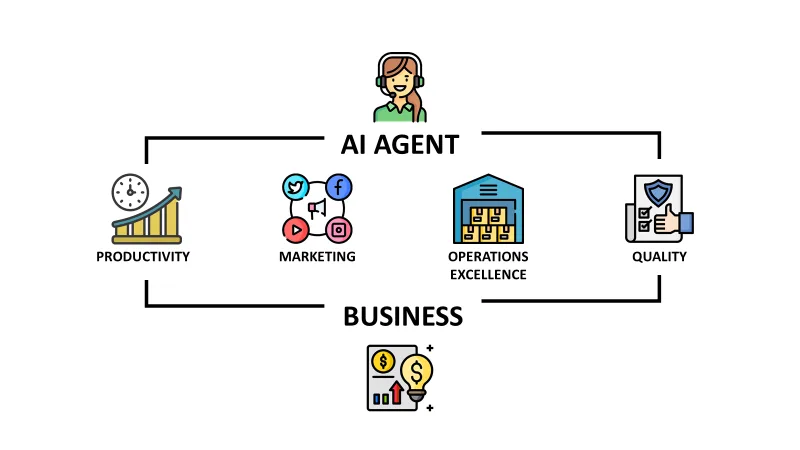
How to Make AI Agents Work for Your Business: A Strategic Guide
Learn how to effectively integrate AI agents into your business operations. Discover strategies for deployment, workflow automation, and scaling your AI capacity.

Top Automation Testing Platforms for Scaling QA Processes
Compare top automation testing platforms for scaling QA, including AI testing, self-healing tests, CI/CD support, enterprise automation, and end-to-end testing.
Continue exploring
Find AI agents by workflow
More in Partner Insights
Browse more articles in the Partner Insights category.
UML Diagram articles
Explore more guides and insights tagged UML Diagram.
ai articles
Explore more guides and insights tagged ai.
AI Agent Categories
Browse use-case pages for sales, productivity, coding, customer service, and more.
AI Agents Landscape
Explore the full directory map and compare agents by workflow and category.
Agent Skills
Find reusable skills, capabilities, and building blocks for AI agent workflows.