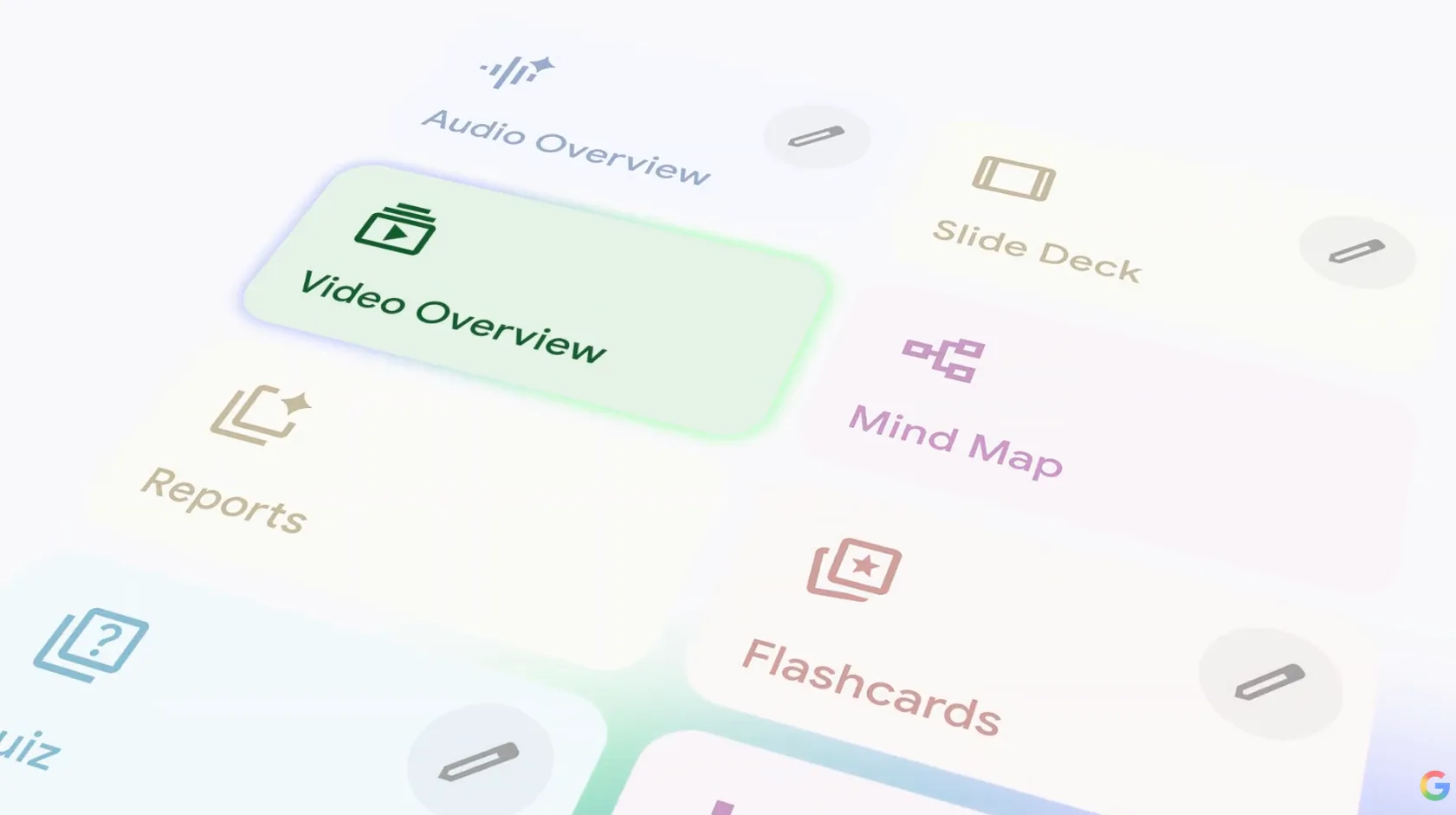
Google NotebookLM can now turn your notes into AI videos
Introduction: The Evolution of Research
The landscape of productivity is shifting. For years, we have relied on static text, notes, PDFs, and long-form articles to capture our research. But in an era of rapid information consumption, reading is often not enough. Enter the latest breakthrough: Google NotebookLM can now turn your notes into AI videos. This update marks a significant leap in how we synthesize information, moving us from passive reading to dynamic, multimedia engagement. By reducing the friction between gathering research and creating content, Google is positioning NotebookLM as an indispensable tool for the modern knowledge worker.
What is the New Google NotebookLM Video Feature?
At its core, the new Google NotebookLM feature leverages advanced generative models to transform your existing project data into coherent, visual summaries. While the tool was previously famous for its "Audio Overviews", which turn documents into engaging podcasts, the new video capability takes this a step further by providing a visual narrative layer.
This update integrates seamlessly with your existing document-based workflows. Whether you have uploaded scientific papers, meeting transcripts, or lecture notes, NotebookLM parses the context to generate a video that highlights key themes, critical insights, and action items. It effectively functions as an automated "content engine," turning hours of manual synthesis into minutes of video output.
How to Turn Your Notes Into AI Videos Step-by-Step
Getting started with this feature is straightforward. Follow these steps to transform your research into a video summary:
Log in to NotebookLM: Open your existing notebook or create a new one.
Upload Your Sources: Ensure you have uploaded the PDFs, Google Docs, or text snippets you want the AI to analyze.
Access the Generation Menu: Navigate to the "Notebook Guide" tab, where you will now see options for multimedia creation.
Select Video Generation: Choose the AI video option. The system will prompt you to confirm the focus areas or specific documents you want included in the summary.
Generate and Refine: Once the AI processes the data, it will produce a video summary. You can review the output, adjust the focus, or regenerate if you need a different tone or emphasis.
Use Cases: Who Benefits from NotebookLM AI Videos?
The ability to turn notes into videos isn't just for tech enthusiasts; it has profound implications for various industries:
Students: Quickly turn complex textbook chapters into study videos to reinforce learning through visual and auditory channels.
Content Creators: Use the tool to draft "first-pass" video scripts and visual summaries for social media content based on deep research.
Corporate Professionals: Transform long, tedious meeting transcripts or project reports into concise "executive summary" videos for stakeholders who don't have time to read long documents.
Limitations and Quality Considerations
While the prospect of instant video creation is exciting, it is important to manage expectations. Unlike specialized AI video generators such as Sora or Runway, which focus on cinematic visual fidelity, NotebookLM’s video output is primarily functional and informational. It is designed for clarity and summarization rather than high-end artistic production.
Is Google NotebookLM free to use? Yes, currently, Google offers NotebookLM as a free tool, making it an accessible entry point for users exploring AI-powered study tools.
Users should also note that the AI's accuracy is heavily dependent on the quality of the source documents provided. If the input notes are fragmented or unclear, the resulting video summary may lack coherence. Always review the AI-generated output to ensure factual accuracy, especially when dealing with technical or sensitive data.
Conclusion: The Future of AI-Assisted Research
The integration of video generation into Google NotebookLM is a testament to the ongoing shift toward dynamic multimedia content. As we move away from static, text-heavy workflows, tools like NotebookLM are proving that AI can significantly reduce the friction between research and dissemination. While we are still in the early stages of this technology, the ability to effortlessly transform research into video is a game-changer for anyone looking to optimize their productivity.
Have you tried the new NotebookLM video feature yet? Share your results in the comments or sign up for our newsletter for more AI productivity tips.
Related Articles
View all articles
The Best AI Video Creation Tools to Automate Your Content
Discover the best AI video creation tools that simplify video production. Explore AI video generators, text-to-video AI, and automated editing for engaging content.
Top 5 Best AI Agents and Tools for Content Creators in 2026
Discover the top 5 AI agents and tools revolutionizing content creation in 2026, from text and video generation to SEO optimization and brand consistency.
The 5 Best AI Video Agents and Tools You Need to Know
Discover the 5 best AI video agents and tools transforming content creation. Enhance video generation, editing, and marketing with cutting-edge AI.
Continue exploring
Find AI agents by workflow
More in Industry Insights
Browse more articles in the Industry Insights category.
AI articles
Explore more guides and insights tagged AI.
Productivity articles
Explore more guides and insights tagged Productivity.
AI Agent Categories
Browse use-case pages for sales, productivity, coding, customer service, and more.
AI Agents Landscape
Explore the full directory map and compare agents by workflow and category.
Agent Skills
Find reusable skills, capabilities, and building blocks for AI agent workflows.