
10x faster than cloud tools.stant video splitting. No uploads, no watermarks, no limits.
104Views
AI VIDEO SPLITTER Overview
Private, Instant Video Splitting — No Uploads Required
AI Toolbox Video Splitter is a high-speed, local-first tool for dividing videos without compromising privacy. Unlike cloud editors, it processes files entirely in your browser using WebAssembly. Your footage never leaves your device, ensuring 100% security.
Key Features:
Instant Results: "Fast Mode" splits videos in seconds with zero re-encoding.
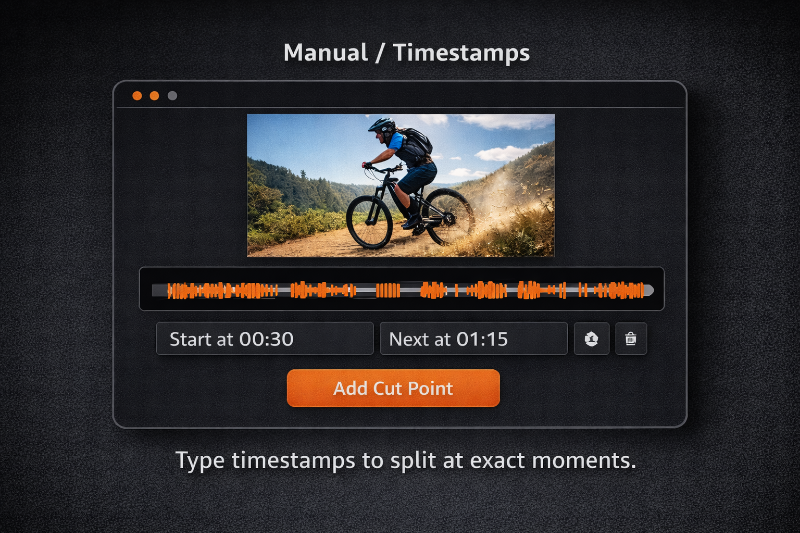
4 Split Modes: Divide by manual markers, equal parts, fixed duration, or specific file size.
No Limits: 100% free with no watermarks, no registration, and no file size caps.
Universal Support: Works with MP4, MOV, MKV, and more.
Perfect for social media creators and privacy-conscious pros. Split, save, and stay secure.
How to evaluate AI VIDEO SPLITTER for tool libraries workflows
AI VIDEO SPLITTER is listed as a free tool libraries AI agent with open source access. Use this page to compare its core capabilities, practical use cases, pricing model, and alternatives before adding it to your workflow.
A strong first-fit use case is Social Media: Automatically slice long videos into 30s or 60s clips for TikTok, Instagram Stories, or YouTube Shorts., especially if your team is shortlisting tool libraries tools for a specific operational need.
Best-fit checks before choosing:
- Confirm that free pricing matches your expected usage volume.
- Compare AI VIDEO SPLITTER with similar tool libraries AI agents in the alternatives section.
- Validate the key capability: Here are the key features for the tool, optimized to be under 600 characters:.
AI VIDEO SPLITTER Key Features
Here are the key features for the tool, optimized to be under 600 characters:
Zero-Upload Privacy: Processes video 100% locally in your browser via WebAssembly. Your files never touch a server.
Fast Mode: Split videos instantly using stream copying. No re-encoding means no waiting and original quality.
Four Split Modes: Manual markers, equal parts, fixed duration (e.g., 30s clips), or specific file sizes (e.g., 25MB for email).
Advanced Export: Supports MP4, MOV, MKV, and more with quality control for frame-accurate cuts.
No Limits: Completely free with no watermarks, no sign-ups
AI VIDEO SPLITTER Use Cases
Social Media: Automatically slice long videos into 30s or 60s clips for TikTok, Instagram Stories, or YouTube Shorts.
Privacy-First Editing: Split sensitive meetings, legal footage, or personal videos without ever uploading them to a cloud server.
File Size Optimization: Use "Split by Size" to cut large files into 25MB chunks for email or 100MB segments for Discord/Telegram.
Content Chaptering: Break webinars or lectures into equal parts or manual segments for better organization.
Quick Trimming: Use "Fast Mode" to snip out viral moments instantly.
Quick Facts
CategoryTool Libraries
IndustryHorizontal
AccessOpen Source
Pricing
Free
StatusStandard
ListedJan 16, 2026
Popularity23%



Loading featured agents...
Popular Categories
View AllLoading latest articles...
Newsletter
Stay Ahead of the Curve
Get curated AI agent updates delivered to your inbox
No spam. Unsubscribe anytime.